Choose your school.
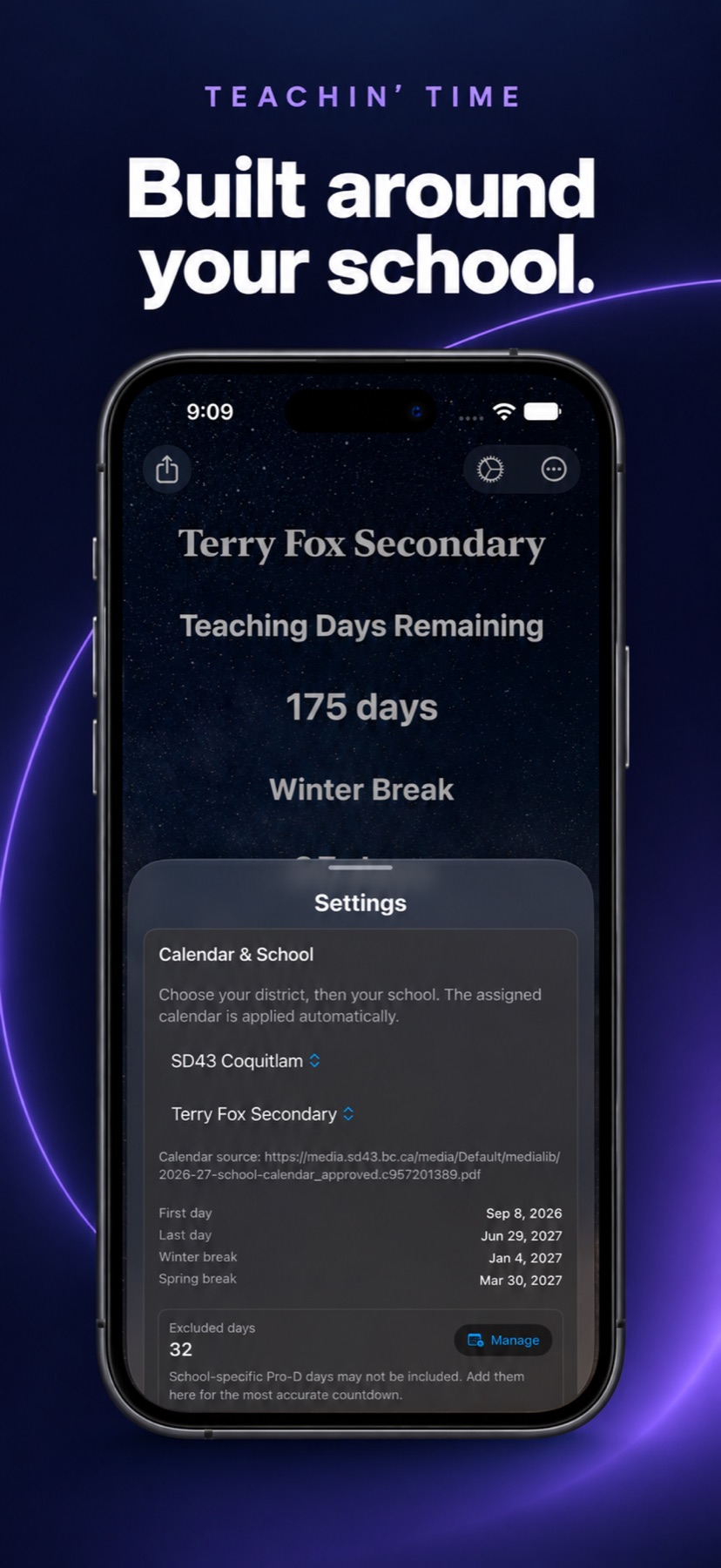
Open Settings, select your district, then your school. Check that the selected calendar is for the school year you need.
Setup questionsSchool calendars · 2026–27
A useful starting point for your school year, with the flexibility to make the details your own.
Version 3.0 includes a selection of British Columbia school calendars for 2026–27. Choose your district and school to apply its assigned calendar, then check the dates against your school’s current notices.
Follow teaching days, winter and spring breaks, and Semester One where your selected calendar supports it.
Coverage varies by school. School-specific Pro-D days and later schedule changes may need to be added manually.
GET STARTED IN THREE STEPS
Open Settings, select your district, then your school. Check that the selected calendar is for the school year you need.
Setup questionsReview the first and last days, breaks and the calendar source. Confirm school-specific dates with your school or district.
Understand your datesReview excluded days, add any missing non-teaching days, and choose which countdowns to show. Add your own milestones, too.
Explore countdownsA LITTLE CLARITY
A teaching-day countdown follows the selected school calendar and exclusions. It is not simply the number of dates between today and your target. Check the teaching-day end time in Settings if a count changes at a different time than you expect.
Check the calendar source and the meaning of each displayed target. A break-related target may be the return-to-school date. Your count also reflects excluded dates, so compare the teaching-day count with your instructional schedule.
This countdown is available only where the selected calendar supports it. For example, the 2026–27 Terry Fox Secondary calendar supports a Semester One target of January 26, 2027.
The bundled calendar cannot anticipate every closure or schedule change. School and district announcements are the authority. Update excluded days as needed, and send a calendar correction with a public source link to support.
LET’S GET THE DETAILS RIGHT
Send the school, district, school year and a public link to the official calendar. That gives Dan the information needed to investigate.
Send a calendar question ↗